
01
Copy it flat, in daylight
Lay old photos flat by a window and shoot straight down, or use a flatbed scanner. No glare across the face and no angle, so the face reads as a face and not a reflection.
Your old photo is the first frame · Sound in every video · No watermark
Free animate old photos for the faces you only know from paper: Grandpa's army portrait smiles back, Grandma blinks, and the whole family chat hears it.
Left is the old photo exactly as it was scanned; right is the video it became. A soldier's studio card, a Victorian cabinet card, a grandmother on her horse. Look from one side to the other: the face on the right is the face on the left, which is the whole reason to animate old photos at all.
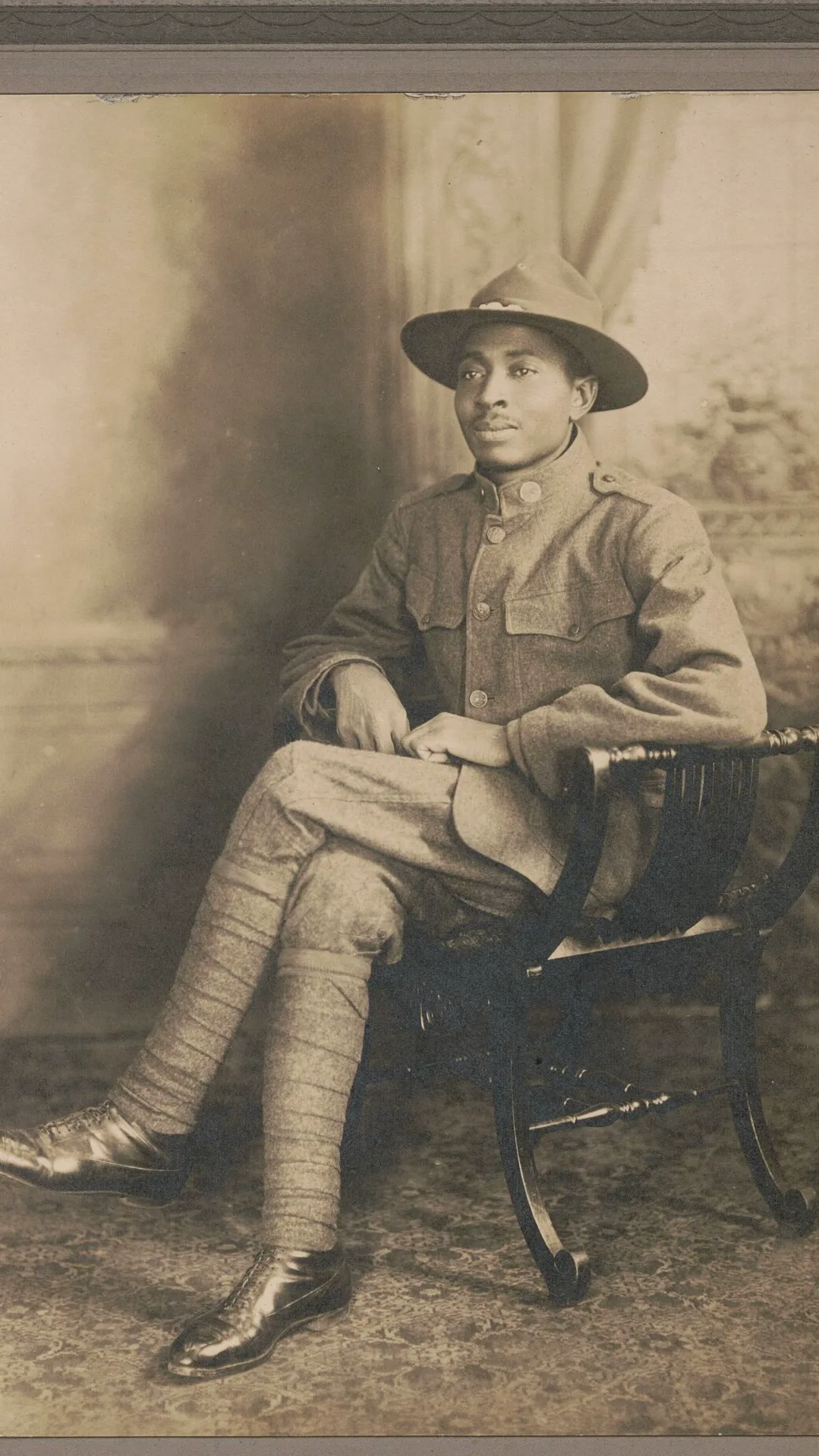
A 1917 soldier lifts his chin and smiles
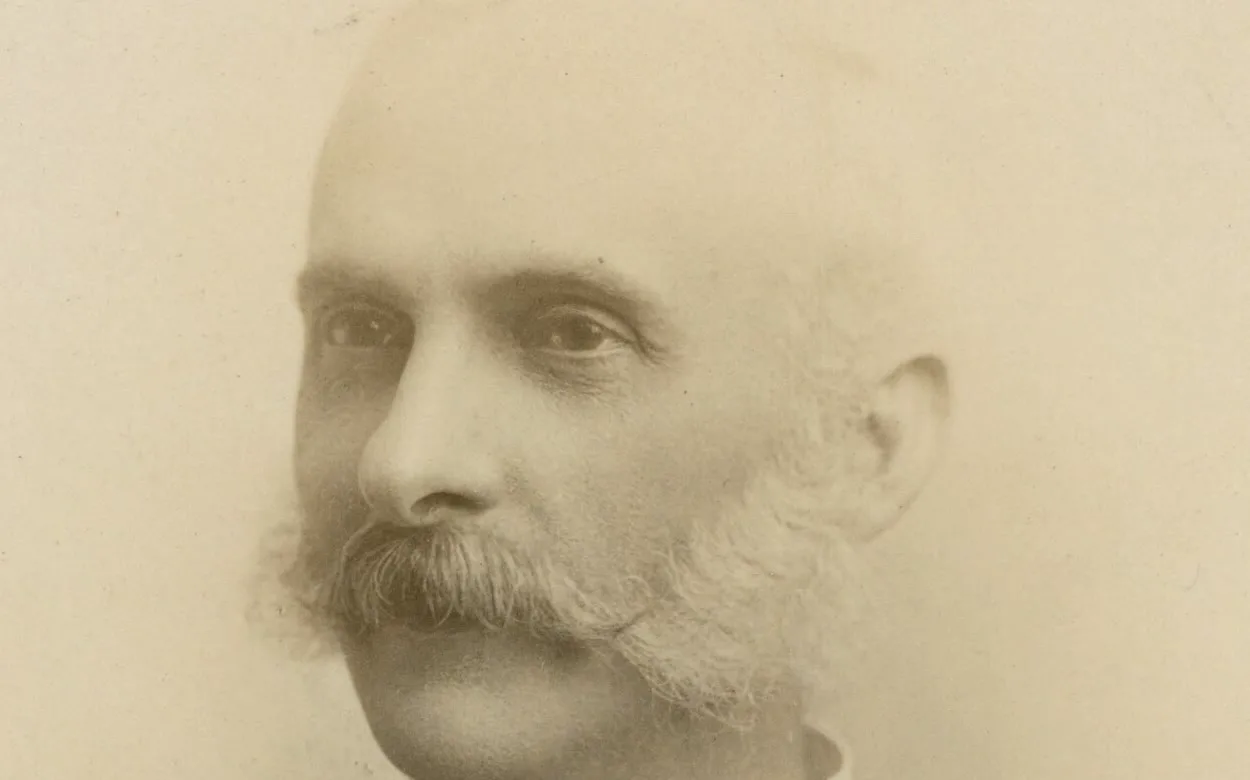
An 1890s cabinet card turns to face you
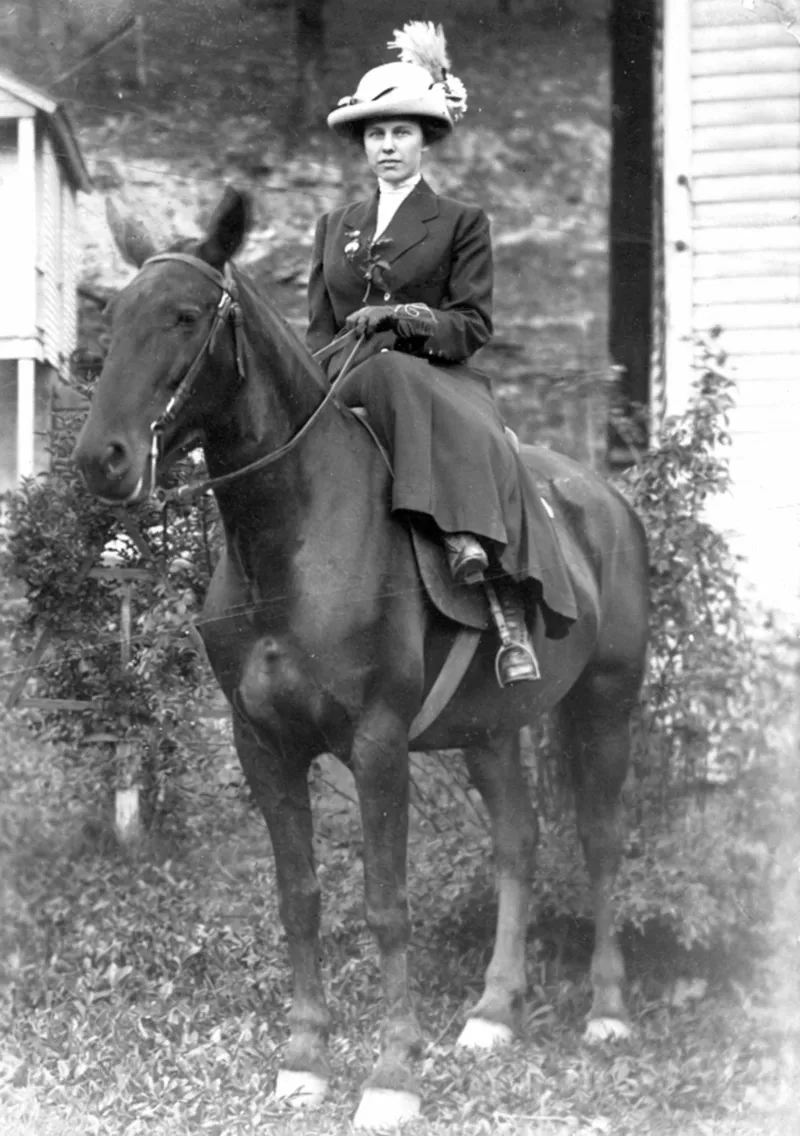
A grandmother on her horse rides off down the lane
Animate old photos turns one scanned or phone-copied old photo into a short video that starts on that exact photo. Upload a JPG or PNG, write what should move, and a free run gives you a 4-second video with its own sound and no watermark, for personal use. It is the old-photo side of our animate photo AI tool, on the same engine: you start with no account, and a free account keeps going with no daily cap.
Ask for it in the prompt, 'the photo slowly fills with natural colour as she smiles', and the video can start in black and white and end in colour. Leave it out and the photo keeps its own tones.
Creative engine
Every free run is MiniMax H3, the model that made the old-photo clips on this page. A 1925 glass plate, a 1940s wedding print, a 1970s snapshot gone orange: it starts from the photo you give it and moves only what you ask.
Your old photo is the first frame, so the face, the grain, the sepia and the creases in the card stay as they were. Only what you name moves.
Sign in free and animate old photos one after another with no daily cap: Grandpa today, his parents tomorrow. Each video lands in your history.
Nobody animates old photos for themselves alone. The video is made to be played for someone, usually the person who remembers the face.
Play your mum her own mother, smiling at her across eighty years. A short clip from one old photo lands harder than any card, and it is ready before the cake is.
Pass the phone round after dinner: the great-grandparents in the hall photo blink and look up at everyone. Old photos are what the family talks about anyway; now they move.
For a funeral slideshow or a memorial page, one gentle video of the person young, turning to the camera and smiling, says what the eulogy is trying to.
Researching your family history? Animate old photos of the ancestors you found and the names on the chart become people your cousins actually watch to the end.
Drop it in the family chat with the year in the caption. Someone always replies with another old photo from their own shoebox, and you make the next one.
Most old photos animate well straight from a phone copy. These four habits, from people who have done whole albums, get the face right on the first run:
Lay old photos flat by a window and shoot straight down, or use a flatbed scanner. No glare across the face and no angle, so the face reads as a face and not a reflection.
A face that fills a good part of the frame gives the blink and the smile the most to work with. In a big group photo, crop to one or two people and run each crop.
Soft focus and grain are fine; the video keeps the old look anyway. Scratches, dust specks and a tear across an eye or the mouth move along with the face, so clean those up before you upload.
This page opens on a tall 9:16 frame, the shape of a phone screen and of most studio portraits. Switch to wide in the generator for a landscape group photo you will show on a TV.
From the shoebox to the family chat with no app and no editing: this is the quickest way to bring old photos to life.
Old photos work as a scan or a phone copy, JPG or PNG: a studio card, a wedding print, a snapshot from the 70s.
One line: who moves, how, what stays still and what we hear, like 'he looks up, smiles, the chair creaks, keep the sepia'. The box opens with a line already written for old portraits.
Press the button and keep this tab open; the countdown in the generator shows when your video starts. It plays right here with its sound, ready to download as an MP4.
Most photo apps that animate old photos ask for an account first and stamp a logo in the corner. Here you start with neither, and a free account never adds one. Sound, no watermark and no sign-up at the start make this the best free way to animate old photos today.
Upload, press the button and get a 4-second video with its sound and no watermark, before you make an account.
Sign in free and keep going through the box of old photos; every video is saved to your history so the album stays in one place.
A plan makes sharper MiniMax H3 videos up to 15 seconds from the same old photo, long enough for a slow turn and a smile, starts each one straight away, and covers commercial use.
Upload the old photo here, keep or change the line in the box, and press the button. You start with no account and no card, and a free account keeps going with no daily cap. Each free video is 4 seconds on MiniMax H3, with sound and no watermark, for personal use. That makes this the simplest free way to animate old photos you can open right now.
Yes. Start free with no sign-up and no card: upload the old photo, press the button and keep the tab open until it plays. To keep going through the album, sign in free and animate old photos with no daily cap.
That is what it is built for. Your photo is the first frame and the line in the box asks it to keep the face, the clothes and the film look, so she looks like herself, only moving. A large, sharp face holds best; a tiny face at the back of a group photo can drift, so crop to her first.
Too much movement. People in old photos held still for the camera, and a face that suddenly grins, nods and looks around reads as a puppet. Ask for very little: a blink, a slow smile, a small turn toward the lens, a still camera. The line already in the box is written that way, and it is why the soldier and the cabinet card above look like people, not effects.
Yes. Animate one old photo at a time, a young portrait, the wedding, the first car, then download each MP4 and line them up in any video app or simply send them in order. Each one has its own sound, so they play as small scenes, not silent slides.
Yes, if you ask. Add a line like 'the black-and-white photo slowly fills with natural colour' and the video starts on the original and warms into colour as the person moves. Leave it out and it keeps the sepia or grey of the original.
MiniMax H3. It is the free engine on every run and the model behind the soldier, the cabinet card and the cloche-hat clips on this page. On a plan the same model makes the video longer and sharper.
No. It runs in the browser on a phone or a computer. Take a photo of the print with your phone camera, upload it from the same phone and the video downloads back to it.
Yes. Put the words in quotes in your prompt, 'she smiles and says, "Hello, sweetheart"', and the person in the old photo says them, lips in time. For whole messages, our image to video AI with sound page shows how to write them.
A free video is 4 seconds with no watermark. On a plan, MiniMax H3 makes up to 15 seconds from the same old photo, also with sound and no watermark, and covers commercial use for a documentary or a client.
Pick the old photo the family always asks about and watch that face look up at you, with sound. No account to start, and the video is ready to play at the table.
Free · 480p · with sound