
01
One big, sharp face per person
The face should fill a good part of the photo and be in focus. A small face far away in a group shot gives the generator too little to hold on to.
Your photos guide the video, they are not the first frame · Sound in every clip · No watermark
Free reference to video AI: add photos of a person, a product or a look, write the scene, and they come back the same in a new video with its own sound.
Each row is one run: the reference photos on the left, the prompt that was sent, and the video that came back. None of the photos is a frame of the video; the generator drew a new scene around what was in them.
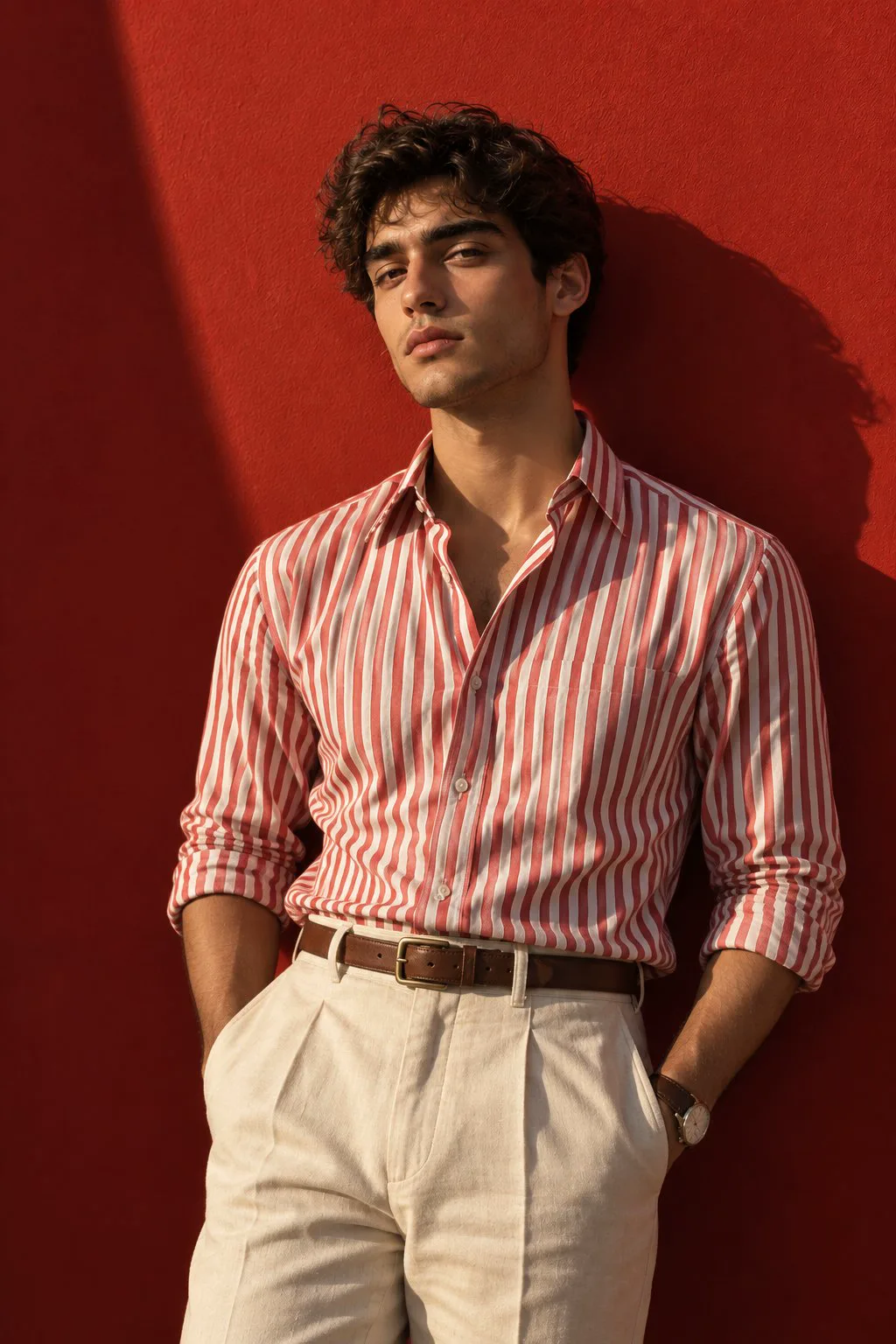
Photo 1: him
One photo of him, a new street
“The man from the first photo walks down a rainy neon-lit street at night, stops under a shop awning, turns to the camera and says, "Same face, new street." Preserve his face, curly dark hair, red-and-white striped shirt and cream trousers from the reference photo. Camera: slow push-in at eye level as he stops. Sound: rain drumming on the awning, distant traffic, his voice close and clear. No music.”
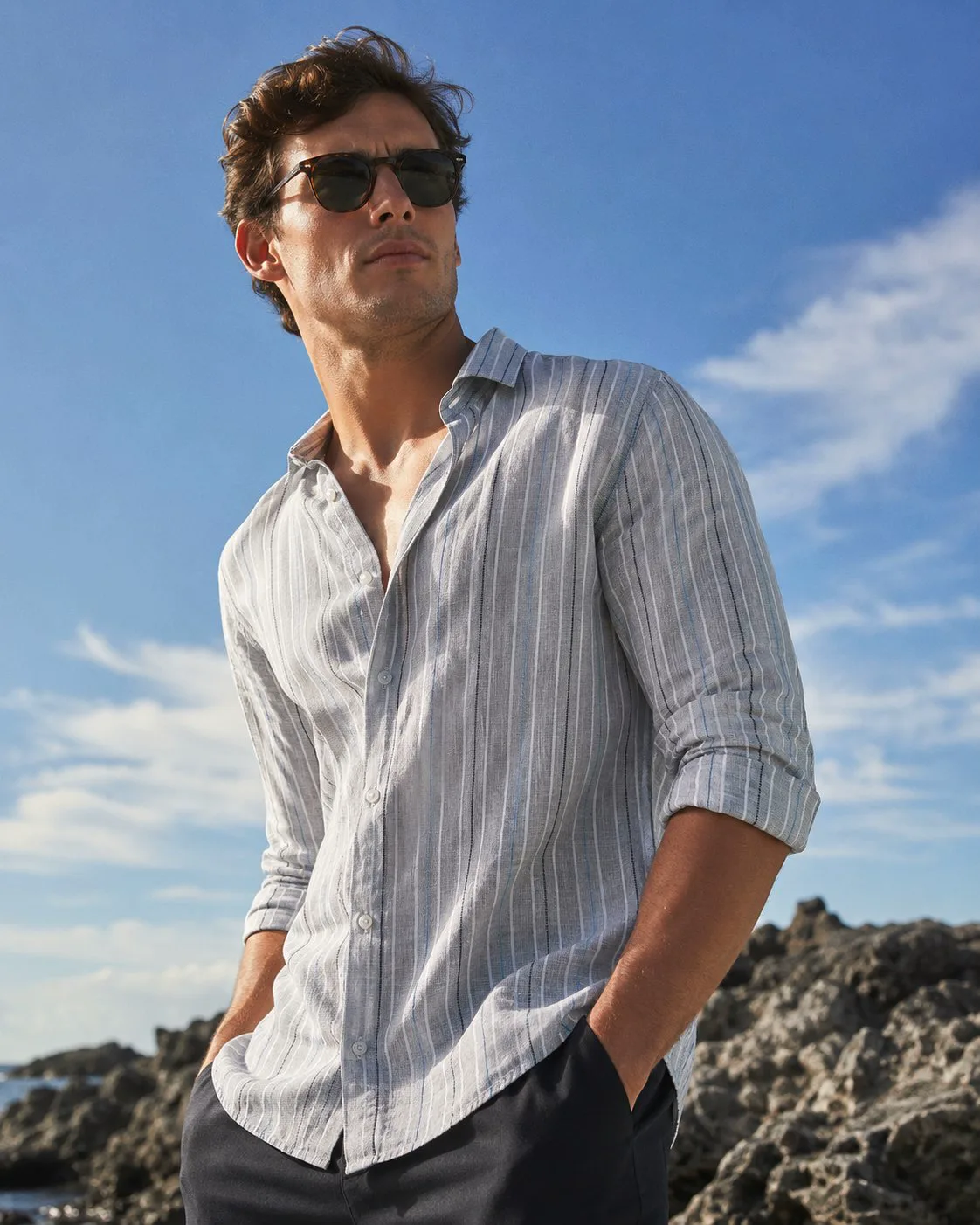
Photo 1: him
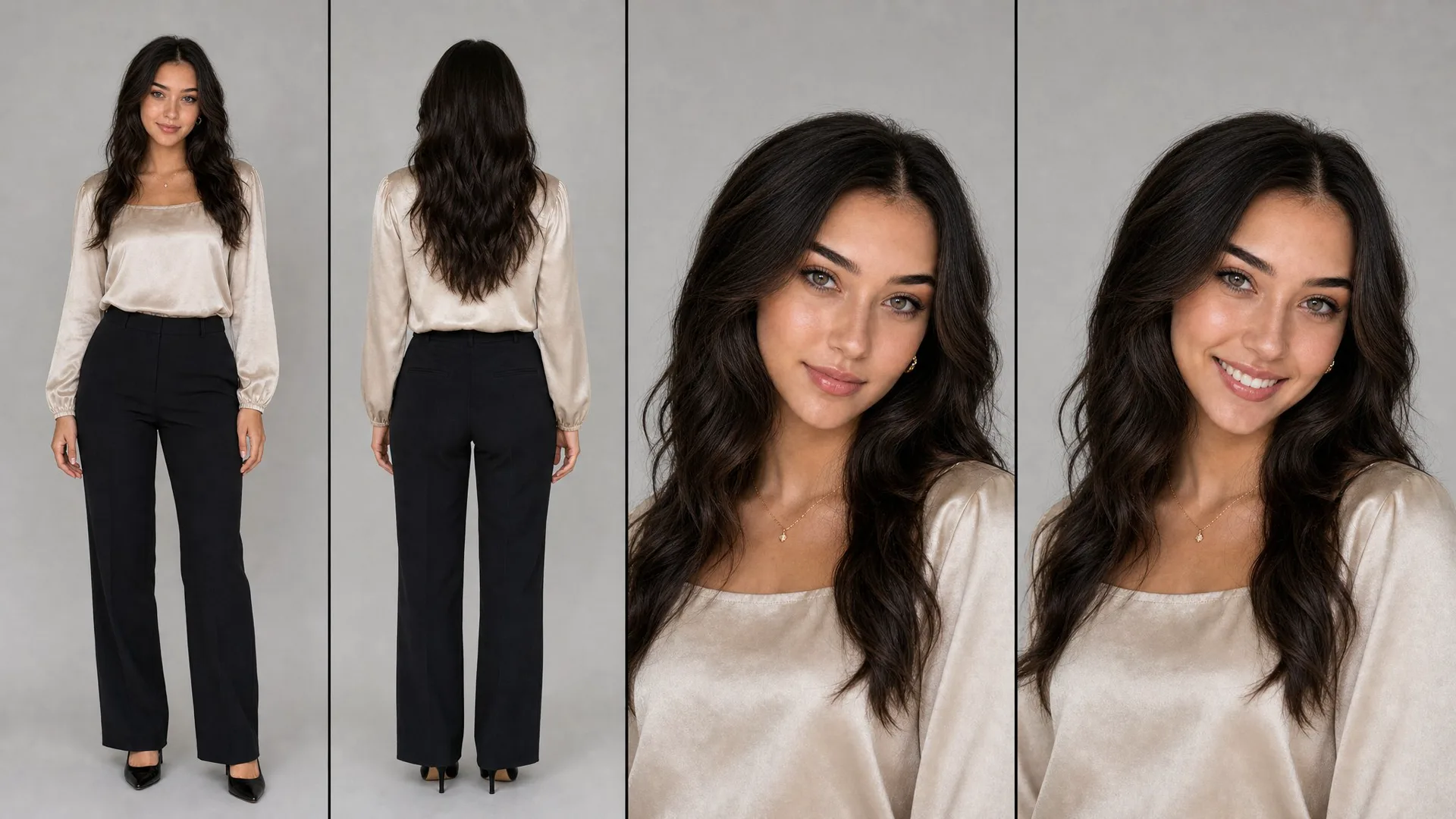
Photo 2: her
Two people, two photos, one table
“An outdoor café on a seaside terrace at sunset. The man from the first photo, in his light striped shirt and sunglasses, sits at a small table and waves. The woman from the second photo, with long dark wavy hair and a cream satin blouse, walks in from the right, laughs and sits down across from him. Preserve the man's face and outfit from the first photo and the woman's face, hair and outfit from the second photo. Camera: wide shot that slowly pushes in toward the table. Sound: waves below, cups clinking, her laugh and him saying, "You made it." No music.”
Both start from your photos. The difference is what the photo does: in image to video it is the opening frame and the clip moves on from it; in reference to video it tells the generator who or what to draw, and the scene around them is new. For a photo that should simply start moving, the free image to video AI on the homepage takes it.
Want your photo as the opening shot and a person from another photo in it as well? That is two different runs: the generator takes reference photos or a first frame, not both in one clip.
Most face drift starts before you press the button, in the photos and the scene you write. These habits come from people who make series with the same character:
The face should fill a good part of the photo and be in focus. A small face far away in a group shot gives the generator too little to hold on to.
Two or three clear photos of the same person from slightly different angles hold better than a pile of mixed ones.
Give the person their own photo and the product its own photo. A photo that shows both leaves it guessing which part you meant.
"The man from the first photo", "the red sneaker from the second photo": say which photo each part of the scene comes from, and describe each person on their own line.
Faces hold best when the camera stays near the angle in your photos. A full profile or a fast whip around the head asks for a side of the face the photos never showed.
For a series, attach the same reference photos to each shot instead of building shot five from a frame of shot four. That is where a face slowly turns into someone else.
A reference can be a person, an animal, a thing or a look. Mix them: the clip keeps each one the way it was in its photo. Want one exact photo to move and talk instead? Image to video AI with sound starts the clip from that frame.
No install, no workflow to wire up: the reference photos, one scene and a button.
A clear photo of each person, pet or product you want in the clip, or a picture whose look you want the clip to have.
Where they are, what they do, where the camera sits and what we hear, naming which photo each one comes from.
The video comes back with its sound and no watermark. For the next shot of your story, keep the same photos and change only the scene.
Most reference to video tools give a few free tries and then ask for a subscription. Here the reference photos run on the free lane too.
Add up to 3 photos, write the scene and get a 4-second video with its sound and no watermark, before you make an account.
Run the next shot with the same photos whenever you like; every video is saved to your history so a series stays in one place.
A plan takes up to 9 reference photos per clip, enough for a cast, a set and a look, and makes sharper MiniMax H3 shots up to 15 seconds long, with commercial use on every plan.
What reference photos do, how many to add, and what is free.
You upload photos of a person, an object or a style, write a scene, and the AI draws a new video in which those stay the way they looked in the photos. The photos guide the video; none of them has to be its first frame.
In image to video your photo is the first frame and the clip moves on from it. In reference to video the photos tell the generator who or what to show, and the place, pose and camera are new. Use image to video to bring one photo to life, reference to video to put the same character into a new shot.
Yes. Up to 3 reference photos run free: add them, write the scene and a 4-second 480p video comes back with sound and no watermark, with no account for the first one. A plan takes up to 9 photos per clip and adds 768p, up to 15 seconds and commercial use.
Up to 3 on a free video and up to 9 on a plan, and two or three good ones usually beat many. One sharp photo per person or product, and for a face, one from the front and one from a slight angle. The scene you write matters as much as the photos.
It usually changes when the camera asks for an angle the photos never showed, like a full profile or a fast turn, or when the face is small in the frame. Keep the camera near your photos' angle, use a large clear face, and start every shot from the same photos rather than from the last frame of the previous shot.
Yes, shot by shot. Attach the same reference photos to each shot and change only the scene. Every video goes into your history, so the shots of one story sit together when you edit them.
Yes. Give each person their own photo, then describe them separately in the scene: what the person from the first photo does, what the person from the second photo does. Mixing both into one sentence is where they start to swap.
Yes, that is what a product reference is for. Add a clean photo of the product on its own, then say in the scene who holds it and what they do with it. A person from another photo can hold it in the same clip.
No, one or the other per clip. With a start frame your photo opens the video; with reference photos the generator draws the opening itself. Pick reference photos when the character matters more than the exact first picture.
No. It runs in your browser on our servers; there is nothing to install and no workflow to wire up. People running reference to video at home report 40 minutes to two hours per clip on a gaming card.
It has sound and no watermark. Write what we should hear in the scene, a voice in quotes or the rain on the street, and it comes back in the same file.
Add the photos of the people and things that have to look right, write where they are and what happens, and press the button.
Free · 480p · with sound